
FindMi Tutor App
Designing a tutoring app to help busy parents manage multiple children’s schedules.
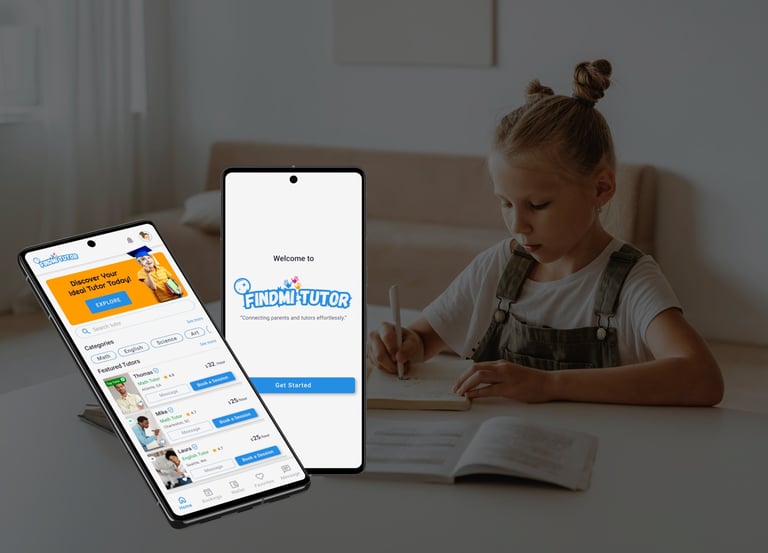
Role, Tools, & Duration:
UX/UI Designer | Figma | 3 Months.
Responsibility:
Conducting research and usability studies, creating paper and digital wireframes, prototyping low and high-fidelity designs.
Short Overview:
FindMi Tutor a project from the Google UX Design Certification🎓 , focusing on simplifies parents to managing schedules multiple children's and finding a suitable tutor, prioritizing safety 🔒, efficiency⏱️, and a positive user experience😊 for both parents and tutors.
Identifying the Problem
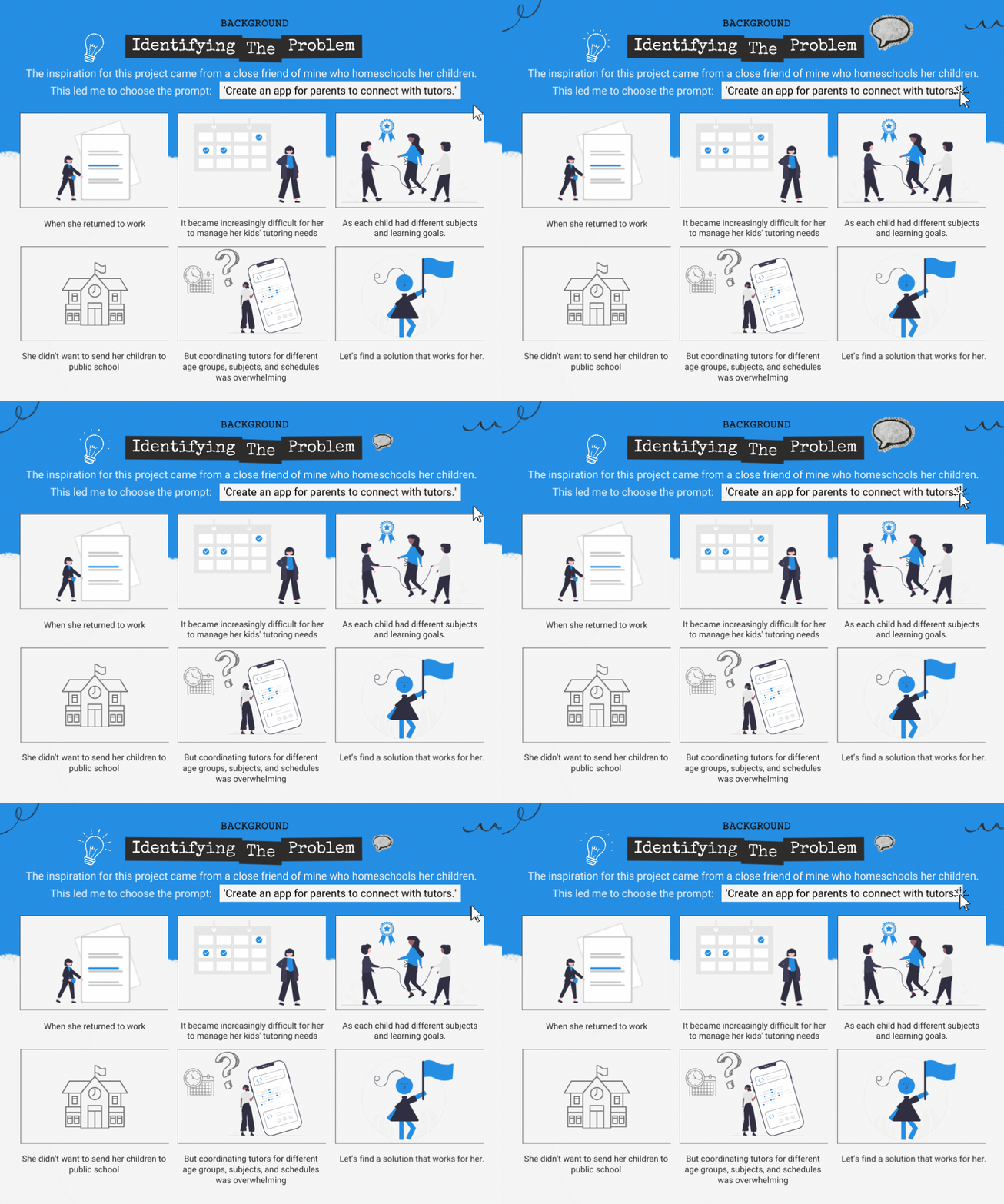
The inspiration 👩👧👦 for this project came from a close friend of mine who homeschools her children.🔧 Seeing her struggle with this balance made me realize there was a need for a solution that could simplify the process for parents like her. This led me to choose the prompt:📱 'Create an app for parents to connect with tutors.'
Project Overview
Parents with multiple children 👨👧👦 face challenges managing different tutoring needs, 📚 subjects, 📝 and schedules 📅, often leading to frustration 😖.
The problem
The Goal
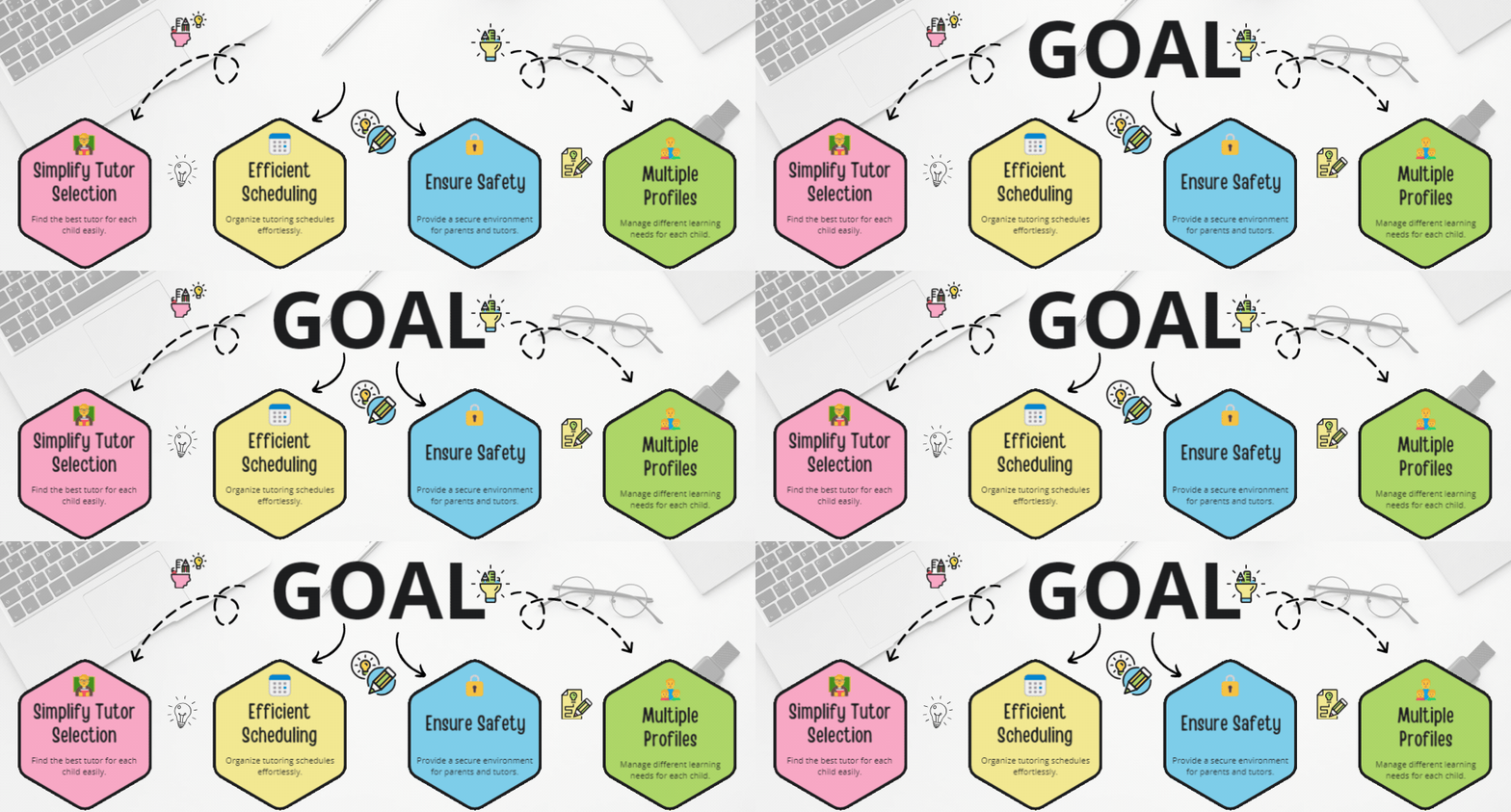
The FindMi Tutor app 📱 aims to help parents easily find the right tutor for each child 🧑🏫, even with multiple children 👨👧👦, by creating a product that is easy to use ✨ and provides a great experience 😊.
Research & Insights
I conducted interviews with parents, surveyed potential users, and performed a competitive audit to understand challenges with tutoring schedules and finding qualified tutors, and to identify🔍gaps in existing platforms.
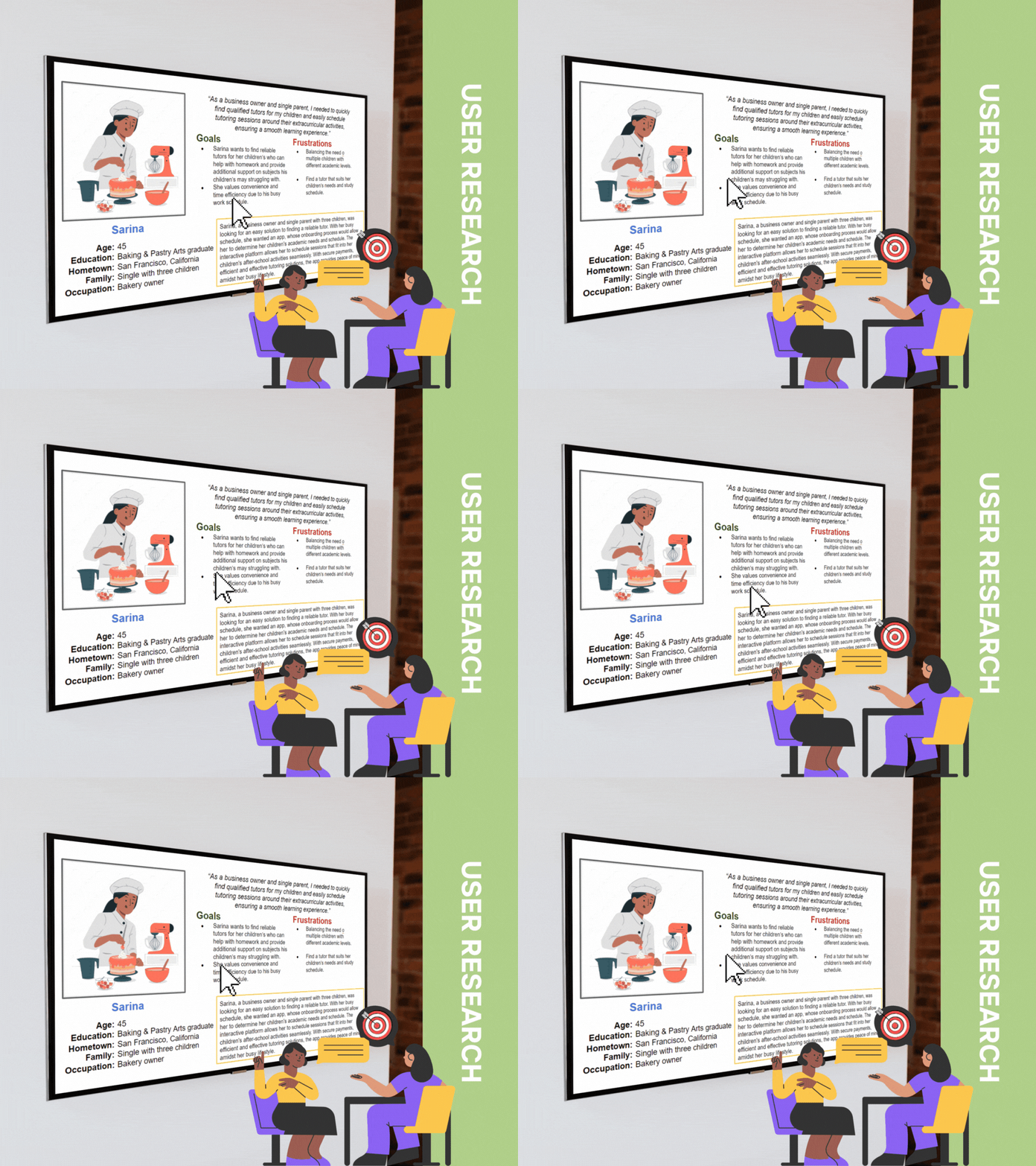
I conducted interviews and surveys to gain insights, leading to the creation of personas and identification of key pain points.
User Journey Map
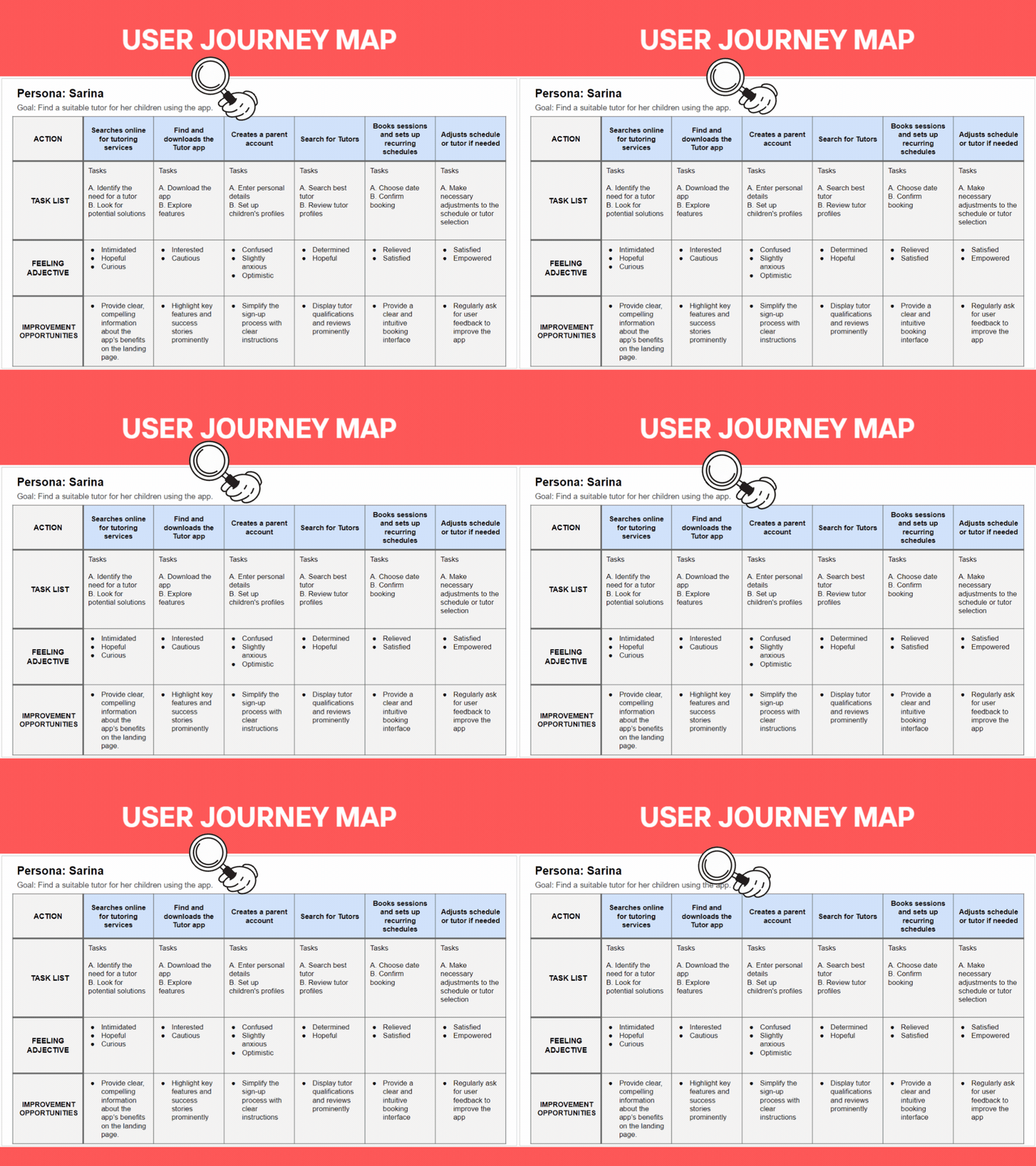
I created a user journey map to understand the steps parents take when booking a tutor.
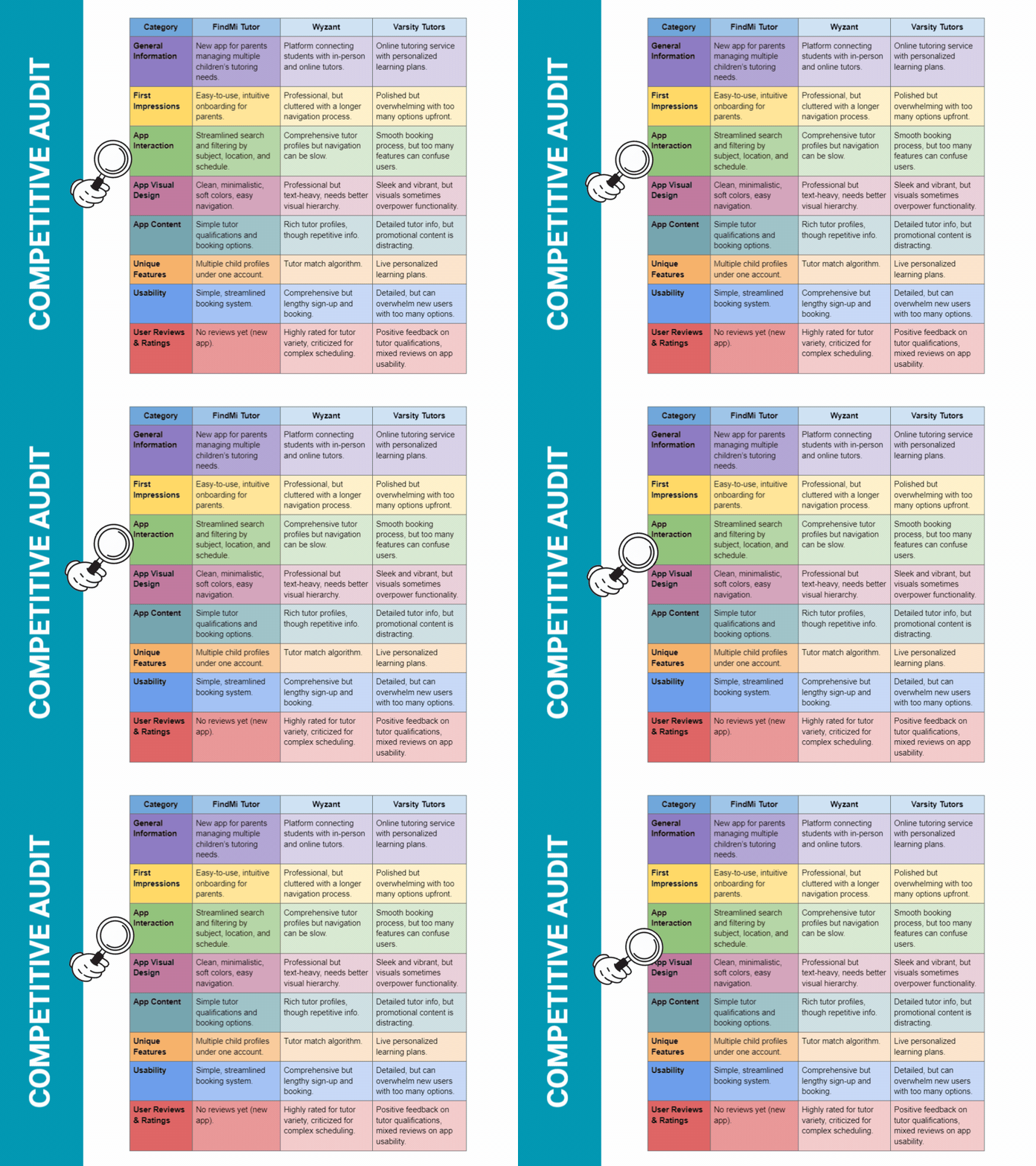
I analyzed existing tutor-finding apps like Wyzant and Varsity Tutor to identify gaps in features and user experience.
Competitive Audit
Design Process: Ideation & Wireframes
Through sketching and wireframing, I developed features to help parents filter tutors by subject, availability, and location.
Ideation
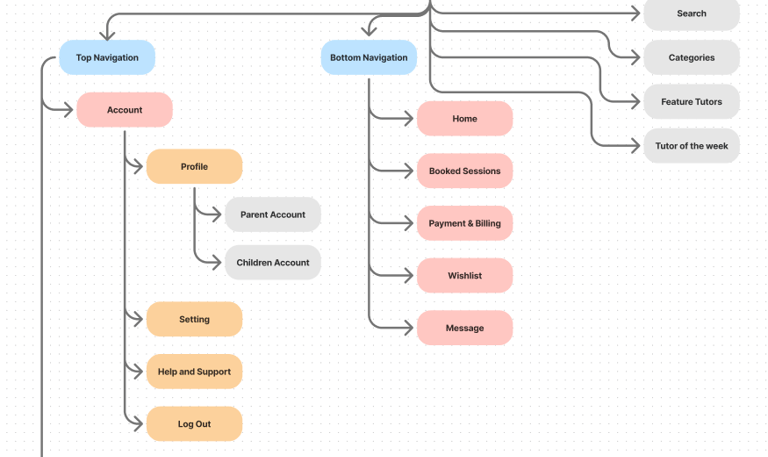
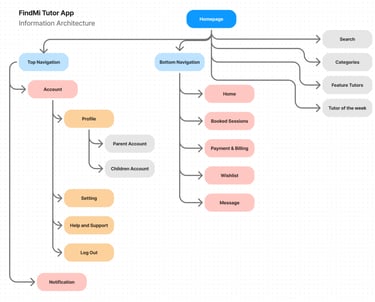
Based on user research and competitive analysis, I brainstormed ideas to address key pain points. I used Information Architecture to structure these ideas, visualizing how app features would interact to ensure a user-friendly design.
Sketches & Low-Fidelity Wireframes
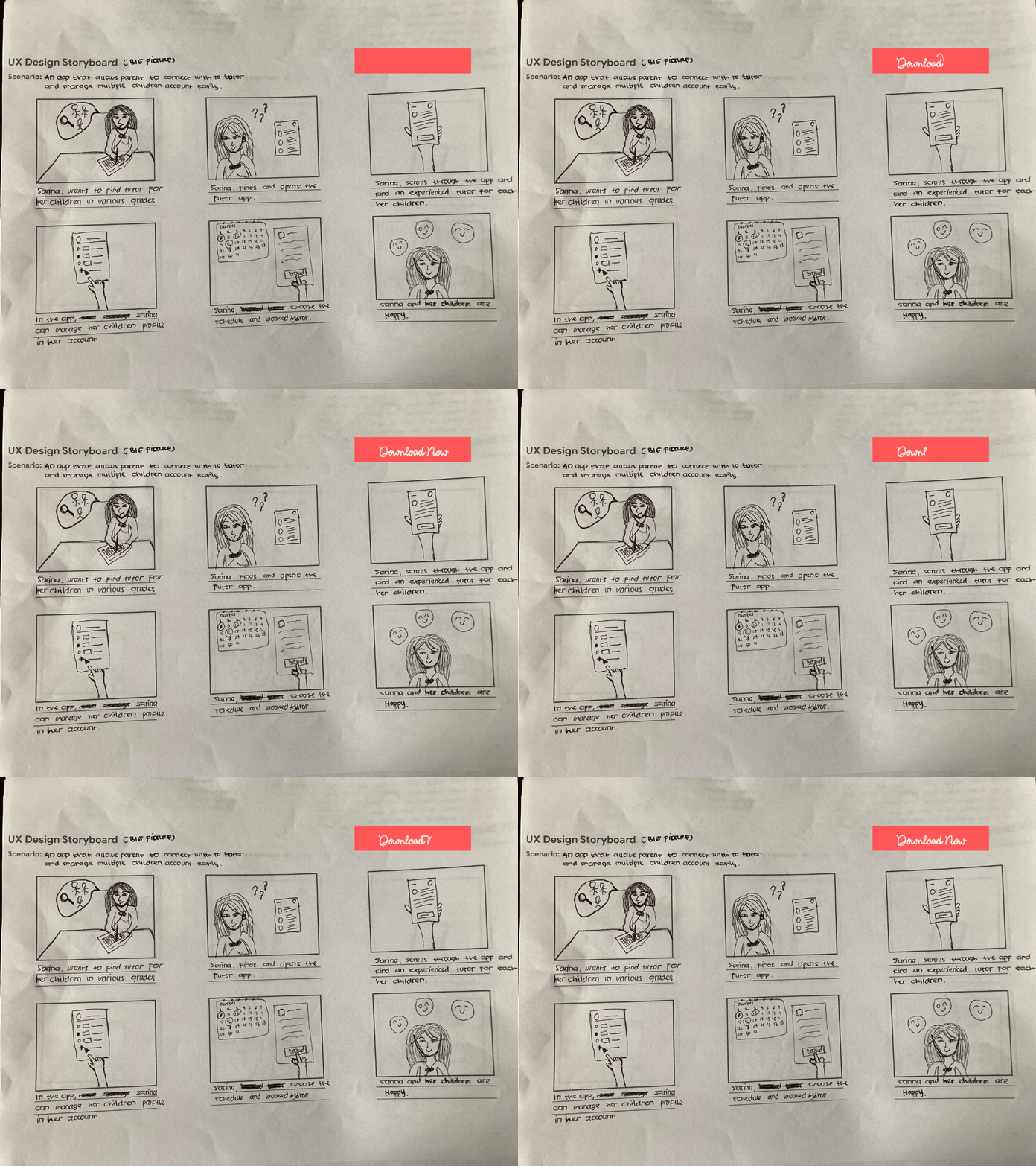
Based on ideation and Information Architecture, I created initial sketches and wireframes for key screens—profile setup, tutor search, and scheduling. These were refined through user feedback.
Iterating & Prototyping
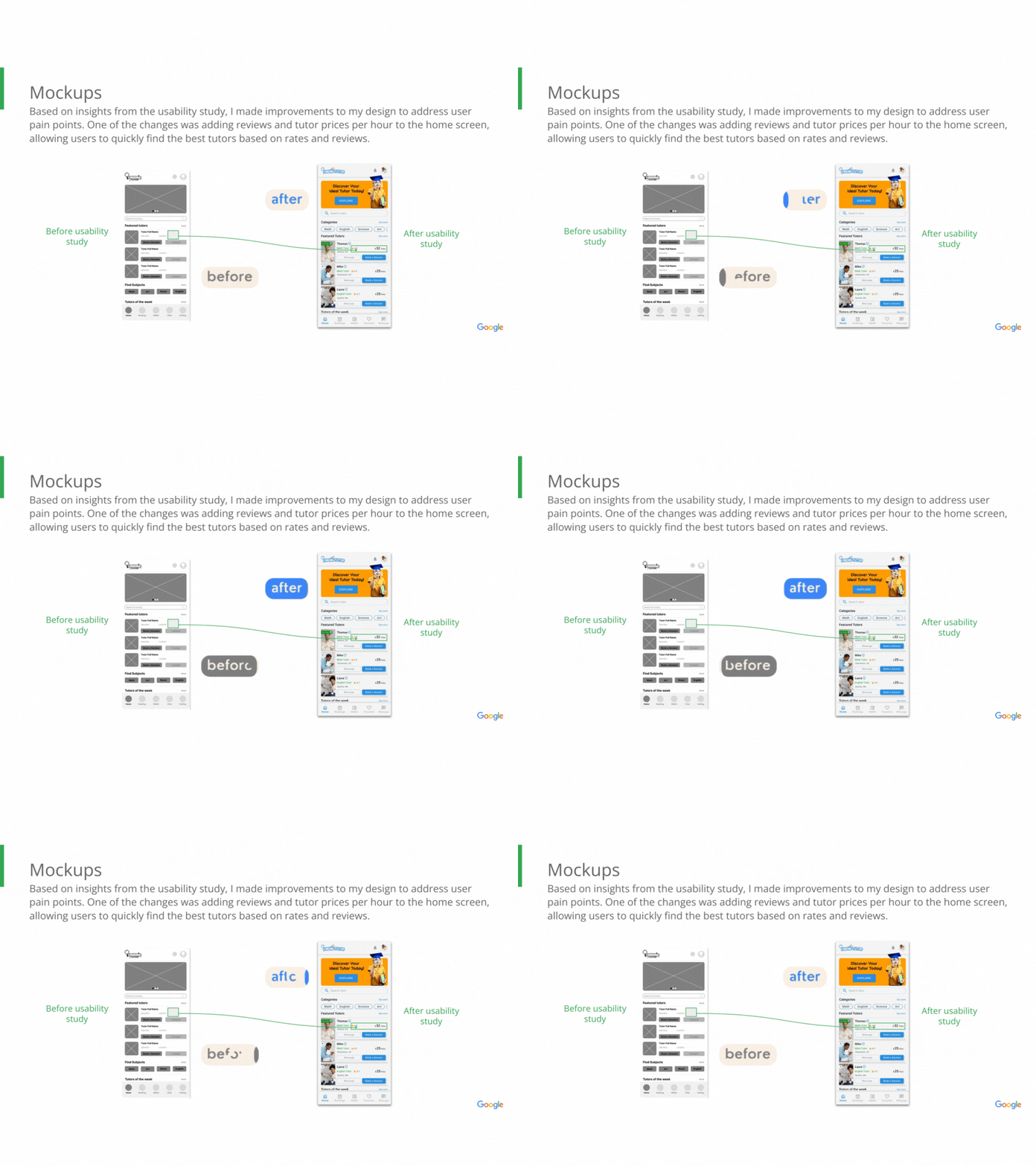
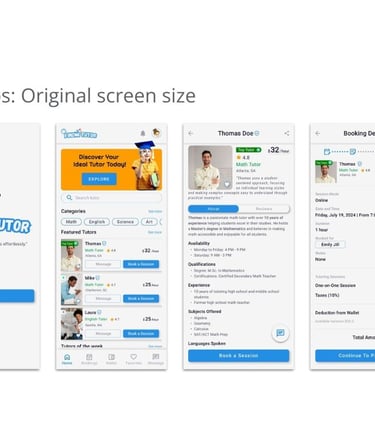
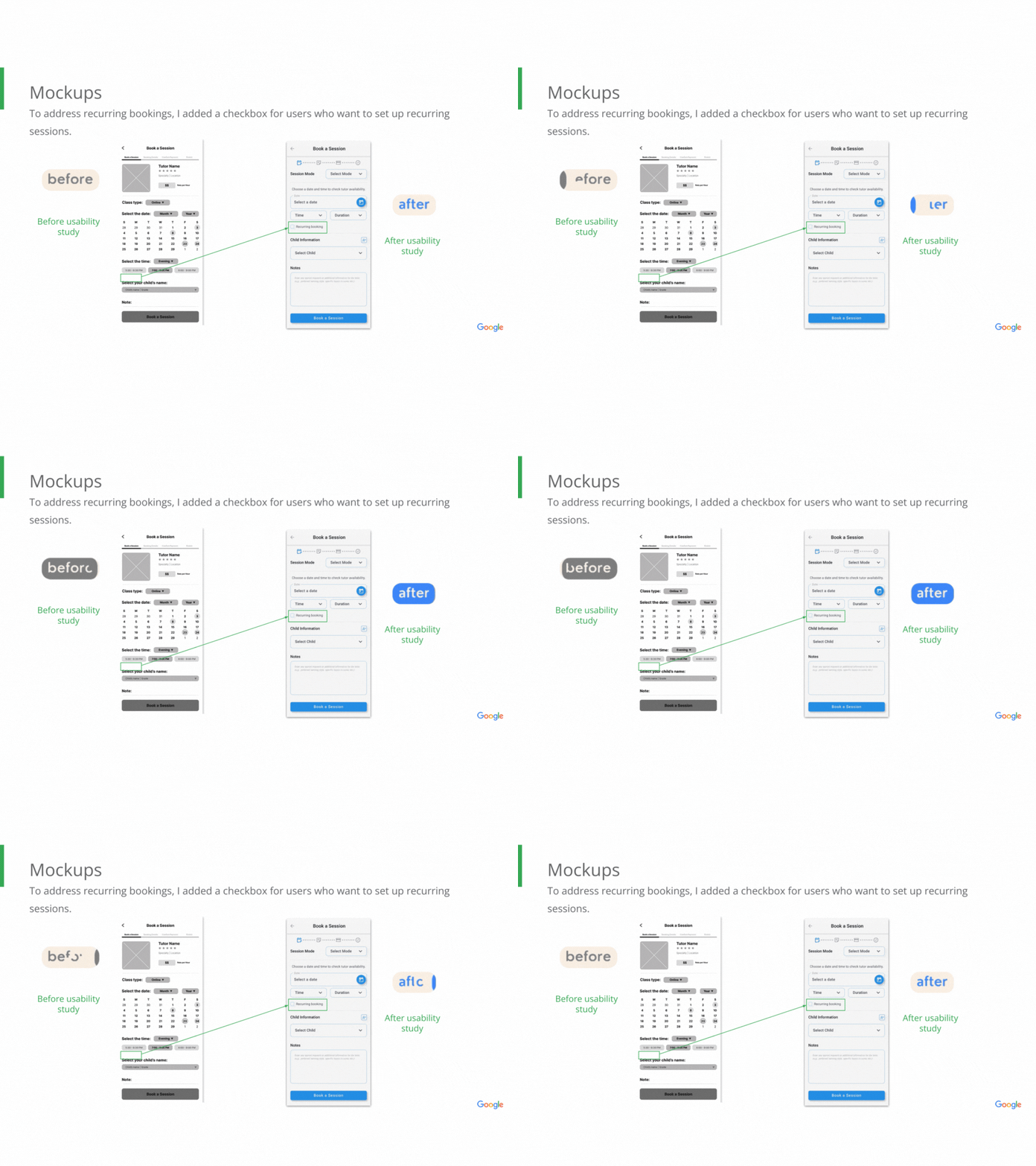
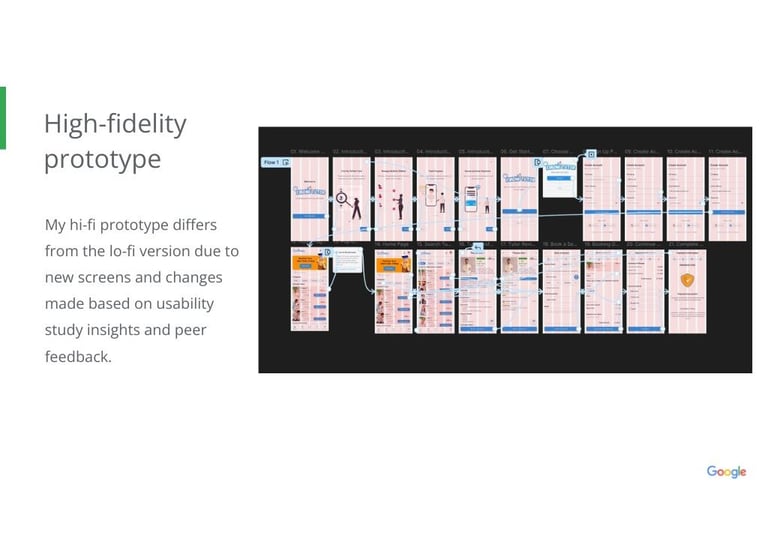
🔄 After gathering feedback from the Lo-Fi usability study, I developed interactive prototypes and high-fidelity mockups to refine key features and conduct further user testing.
Iteration
Based on insights from the usability study.
Prototype
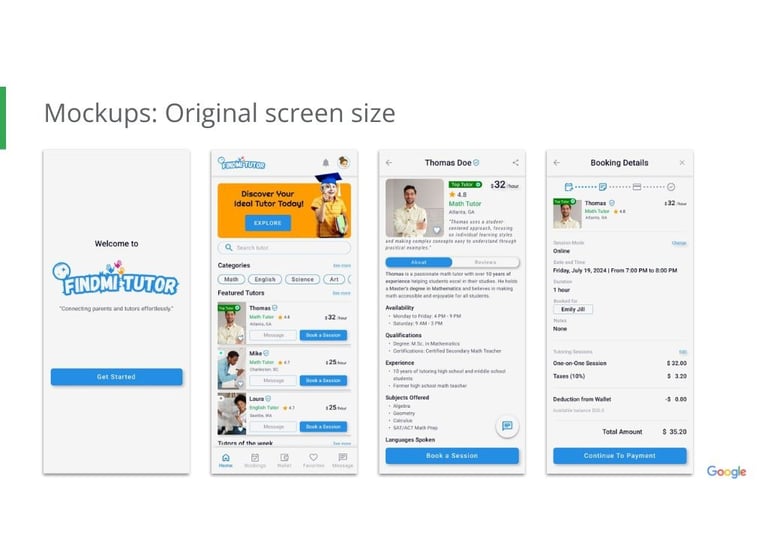
Final mockups and high-fidelity prototype.
Key Takeaways from this Project
🔍 I learned the importance of user feedback in identifying design flaws. Iterating based on real experiences helped me create a more intuitive and effective product.
What I learned

✨ By addressing feedback from usability studies and peer reviews, I made key design iterations that enhanced user experience, reducing frustration and improving app efficiency.
Impact